Log file
Plus log files are created automatically during the execution of any Plus application in the output directory (MMDDYY_HHMMSS_PlusLog.txt). If you encounter any problem running an application open the log file and look for ERROR or WARNING messages.
The directory where log files are saved is specified in the OutputDirectory attribute in the FileApplicationConfiguration.
If a relative path is specified in the OutputDirectory attribute then it is interpreted as relative to the location of
the FileApplicationConfiguration .
Viewing log files
Any text editor can be used for viewing the log files, but a log viewer software is recommended.
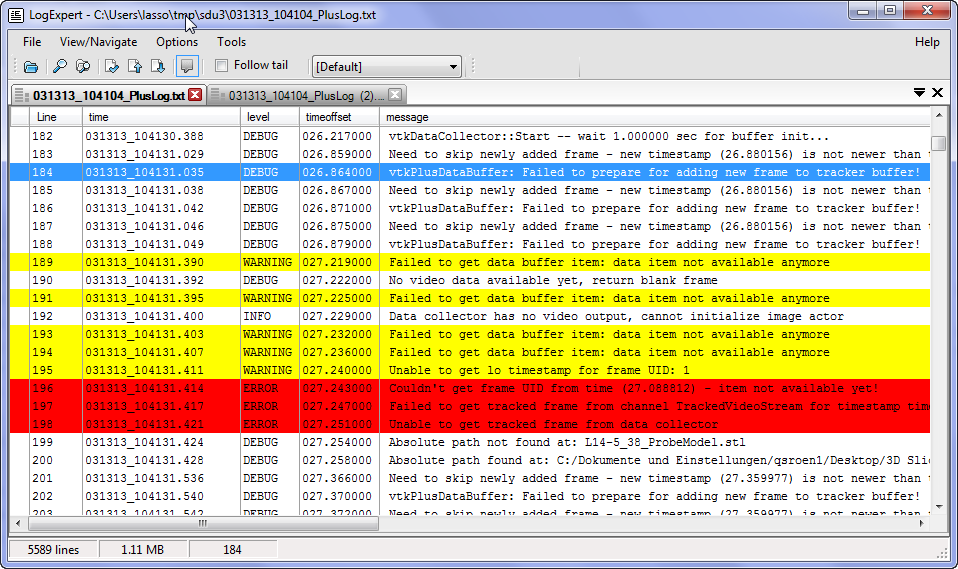
The log file format is compatible with the free LogExpert log viewer. With LogExpert you can even monitor the log file in real-time, while a Plus application is running for more convenient reading and define custom trigger actions (start a process, bookmark the location, flash an icon, etc).
LogExpert Configuration
You have to set these only once. LogExpert remembers these settings when you close the application.
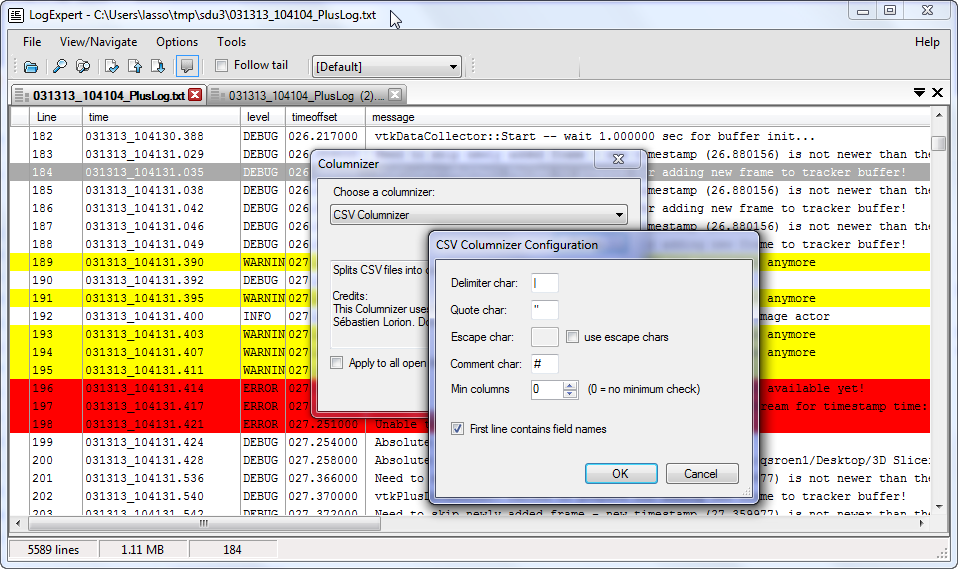
Choose the CSV columnizer and the “|” delimiter character.
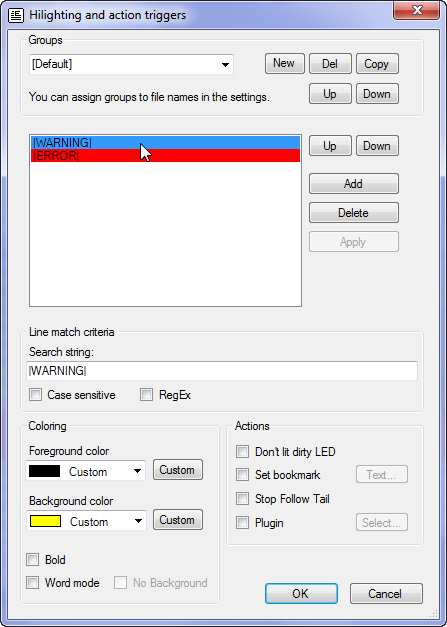
The highlighting feature can be used to highlight specific messages (such as ERROR and WARNING messages).